 Mall Metrics
Agree three clocks with the tenant
The transaction time marks when the sale occurred. The business date identifies the trading day under the agreed rule. The receipt time tells the mall when it obtained that sale or declaration. Store these separately when the source supplies them, with the timezone and any source limitations. A daily summary may supply a business date without individual transaction times.
Give each property a local timezone and explain how late-trading tenants produce their close. A Dubai team receiving a Singapore store’s file must use the store’s business date. For markets that change clocks seasonally, test the repeated or missing hour when the local time changes. Establish the basis for each tenant group. If a source already assigns a business date, a second adjustment in the mall import can move a transaction twice. Include one ordinary weekday and one late-night weekend in the implementation test.
Work through a late arrival
Consider an illustrative Singapore policy. A restaurant’s trading day ends at 3 am Singapore time, its report is due at 8.30 am, and the centre publishes the morning snapshot at 9.30 am. An S$48 order at 12.20 am on 15 July belongs to the 14 July business date under this rule. If the tenant sends its 14 July file at 10.15 am, it missed the morning snapshot. The revised 14 July figure should carry the later receipt time and a reference to the version it replaces.
If finance has already approved the monthly statement, the same late submission may need a review before inclusion in billing. Give the person who owns the review access to the prior approved total, supporting file and proposed adjustment. Agree the correction path with finance while setting the deadline.
Make the comparison date visible
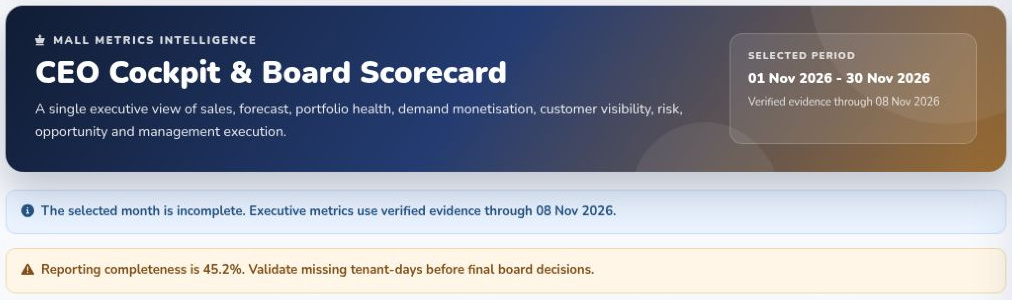
For one mall, the operations team can publish a provisional figure and a list of outstanding tenants at the cut-off. For a group of malls, an executive needs to know the date through which the included properties can be compared. The Mall Metrics demo group view showed a common evidence date and explicitly identified properties excluded for lack of current-period evidence. It also labelled the selected comparison period.
Review the cut-off after onboarding. If the same store arrives late throughout its first month, investigate the export schedule, store closing routine or file transfer before changing the deadline for everyone.
Explore daily sales reporting · Interpret the morning dashboard