Reconcile tenant sales across POS, declarations and certified figures
A mall can receive the POS feed on time and still have a month-end disagreement with a tenant. Mall Metrics brings three familiar sources into the Sales Recon Analysis report so finance can locate the gap, establish the period it belongs to and ask the tenant for specific evidence.
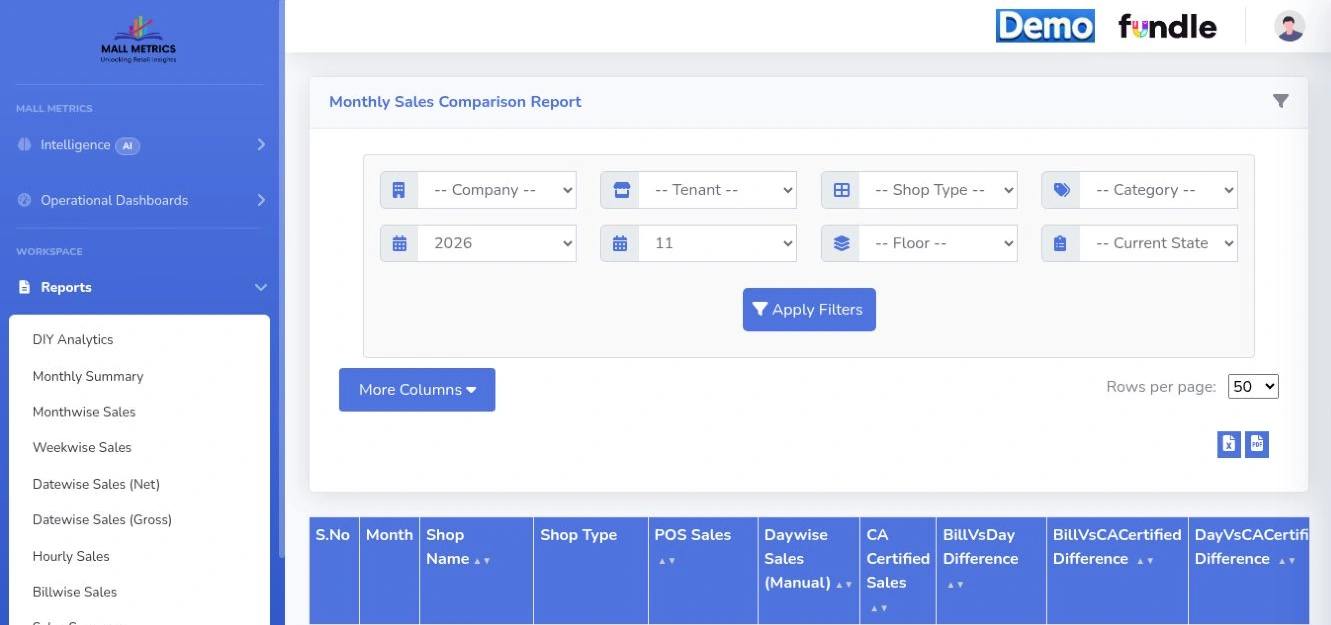
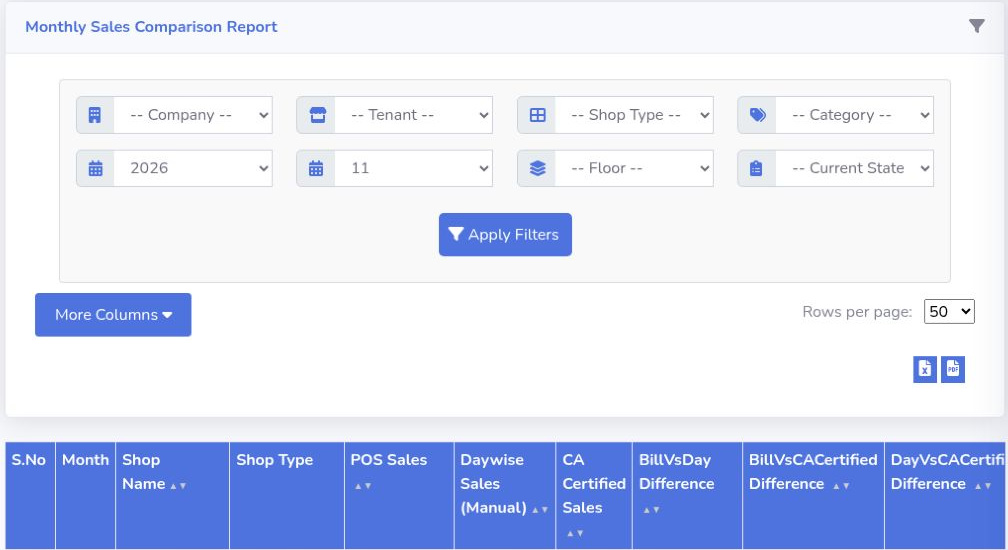
The report menu provides hourly, daily, weekly, gross, net and billwise views. The open November 2026 monthly comparison report exposes POS, manual and certified sales columns and source-pair differences.
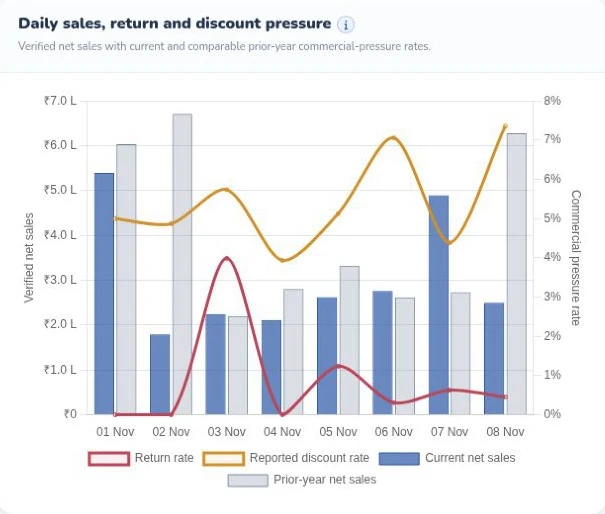
Read current and prior-year sales bars alongside the return-rate and reported discount-rate lines. Sales value and pressure rates have separate axes.
Put each sales
source beside its counterpart
The reconciliation view presents POS sales, day-wise manually
reported sales and a third source by tenant and month. The Indian demo
labels that source “CA Certified Sales.” At a shopping centre in another
market, establish whether the lease requires an accountant-certified
statement or another agreed declaration, then confirm the source
mapping. It also displays differences between POS and manual figures,
POS and certified figures, and manual and certified figures. Bring your
own definitions of gross sales, returns, taxes and eligible turnover to
the review so the team compares amounts on an agreed basis.
Follow the difference
to the relevant day
Consider an illustrative Singapore shop with S$124,000 in POS sales
and S$122,500 in daily declarations. The S$1,500 difference gives
finance a starting point. Use the date-wise reports to narrow the
period, then refer to the relevant sales detail where available. A
missing till, an amended declaration and a return falling in the next
period each call for a different resolution.
Prepare the month-end
conversation
Use the reconciliation view to decide what evidence to request and
who needs to confirm the adjustment. When a certified statement arrives
later, compare the confirmed month against it and record the reason for
any residual difference in your close process. For a working session,
bring an anonymised declaration, the corresponding POS close and the
question finance normally asks the tenant.
Monthly Sales Comparison Report Read the three monthly sales sources side by side: POS sales, daily manual submissions and CA-certified sales. The report exposes a separate difference for each pair.
Product walkthrough
Bring one mall. Follow one trading day.
See how tenant submissions become a finance review and a management brief.
 Mall Metrics