 Mall Metrics
Trading analytics
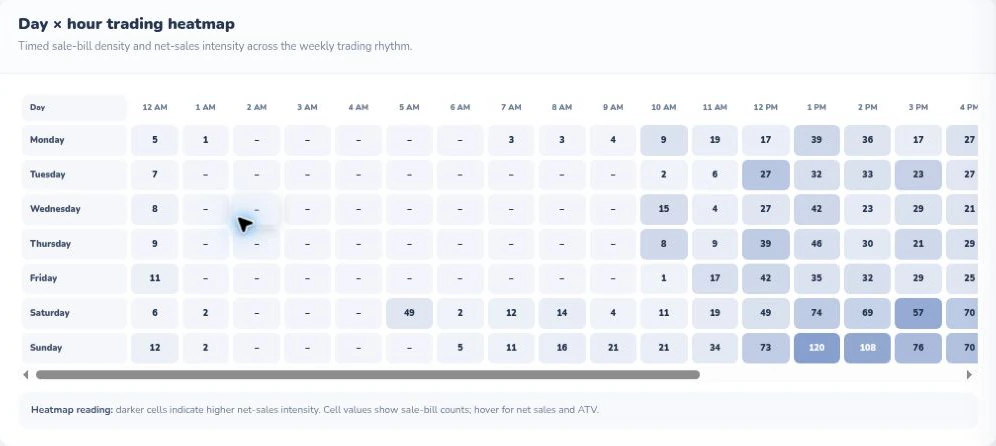
Day × hour trading heatmap
Read down for the weekday and across for the hour. Darker cells identify busier trading windows. This capture shows the visible portion of the horizontally scrolling report.

At an individual shopping centre or across a group of malls, which stores traded yesterday, what did they sell, and whose numbers are still due? Mall Metrics gives centre operations a daily view of tenant sales with separate reports for missing sales days and zero sales days. Start the morning meeting with the trading date and follow up with the shops that need attention.
Read down for the weekday and across for the hour. Darker cells identify busier trading windows. This capture shows the visible portion of the horizontally scrolling report.
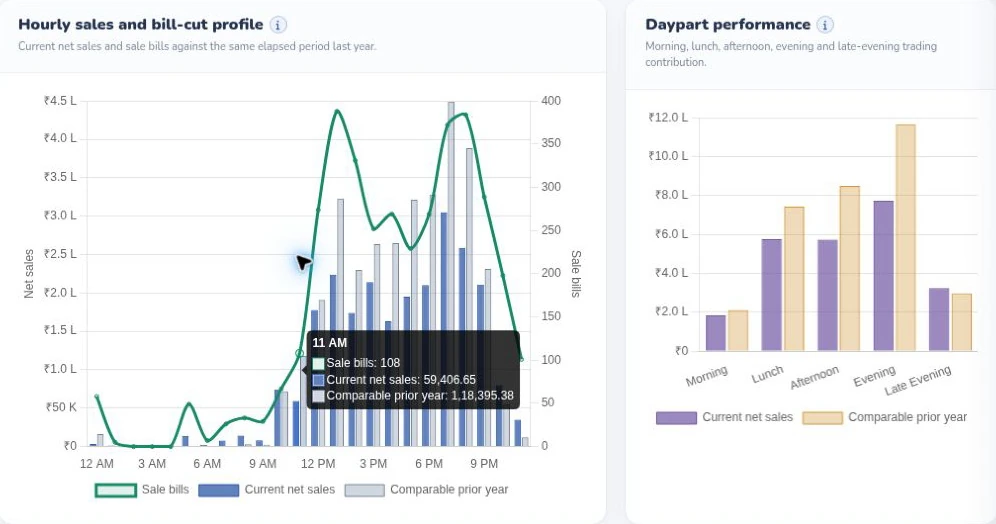
Compare the hourly sales curve and bill count with the prior year, then see how morning, lunch, afternoon, evening and late-evening trading contribute to sales.
Open Datewise Sales (Net) or Datewise Sales (Gross) to see how individual shops contributed to the selected dates. Use Sales Summary to inspect gross sales, net sales and returns together. When an unusual day needs a closer look, Hourly Sales breaks out the trading hours. The detail you can review depends on the data the tenant supplies.
Missing Sales Days identifies a shop, the missing date and the missing-days count. Use the tenant’s trading calendar to decide whether a submission was due. A store that has explicitly declared zero needs a different follow-up from a store whose file has yet to arrive. Operations can use the two reports to prepare the call list before sharing the provisional sales figure.
Take an illustrative morning close with ten stores due, eight positive submissions, one confirmed zero and one missing file. Nine shops have reported. Bring the missing file into the walkthrough and see how your team would explain the first close and the revised one. We can map the discussion to your tenant mix, trading hours, local business-day boundary and morning deadline.
Read the missing and zero sales guide · Book a daily sales reporting demo
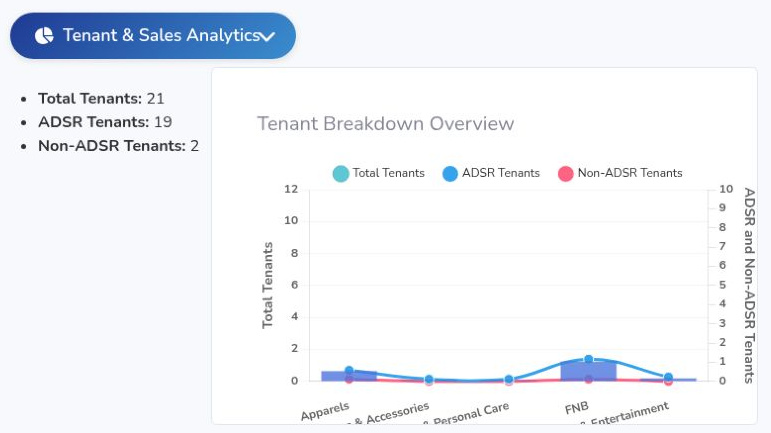
See how tenant submissions become a finance review and a management brief.