
Mall solutions

Move your mall to Mall Metrics ADSR

Start with one property, one closed trading period and a representative group of tenants. Operations and finance can compare both systems before moving the next set of stores.

Establish the baseline with operations and finance

List trading stores, source systems, submission methods, cut-off times and the monthly sales basis used for rent. Choose a period with a late submission, a return, a confirmed zero and a closed store. Capture the incumbent report and agreed inputs for that period.

Run the same stores through both systems

Start with a mix of retail, food and entertainment POS systems. For each tenant, match the local trading date, gross and net treatment, bill count, returns and source status. Compare cumulative sales through the same evidence date. A variance needs a documented cause and an owner.

Prove the close before switching a reporting wave

Finance can use Sales Recon Analysis to compare POS, declarations and certified statements. Leasing can verify the sales definition against the agreement. Together, record the accepted differences, unresolved exceptions and who authorises the switch.

Roll out by tenant cohort

Move cohorts after the agreed checks pass. Keep the source mapping and reconciliation evidence for each wave, with a rollback owner and the previous reports retained according to the mall’s policy.

Book a replacement assessment · Check the POS directory · Explore reconciliation
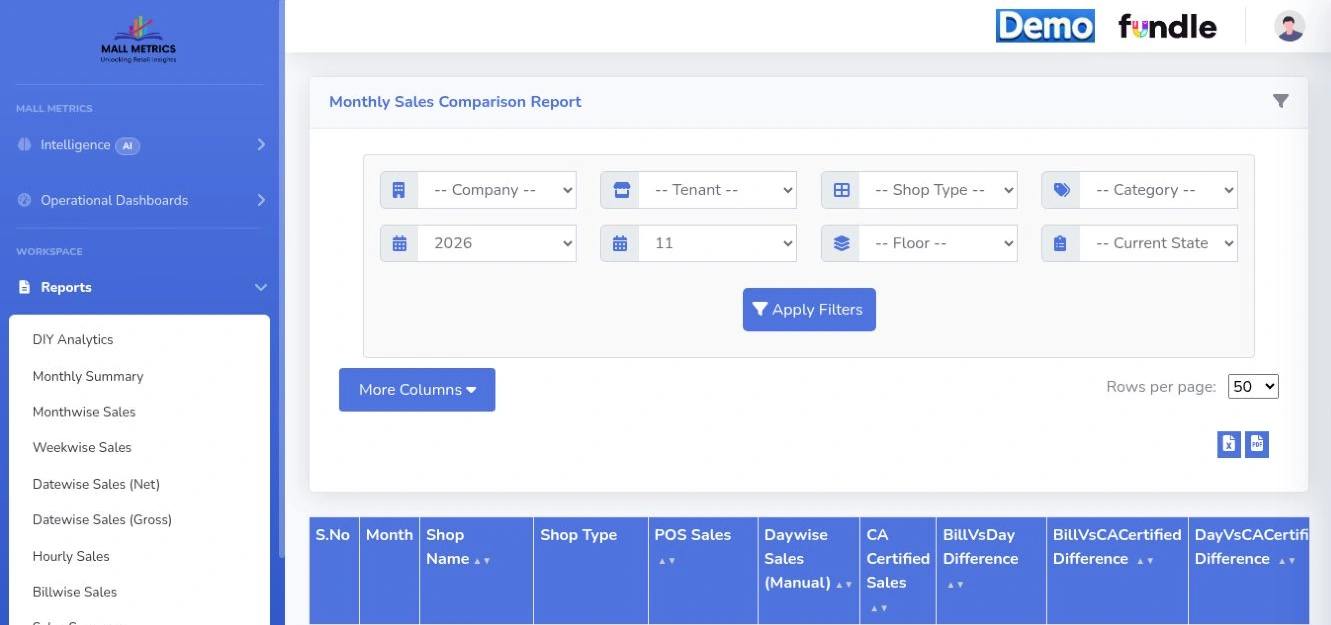
Original demo layout showing the report navigation, period filters, export controls and column headers. Tenant records are outside this crop.
Sales reporting workspace The report menu provides hourly, daily, weekly, gross, net and billwise views. The open November 2026 monthly comparison report exposes POS, manual and certified sales columns and source-pair differences.
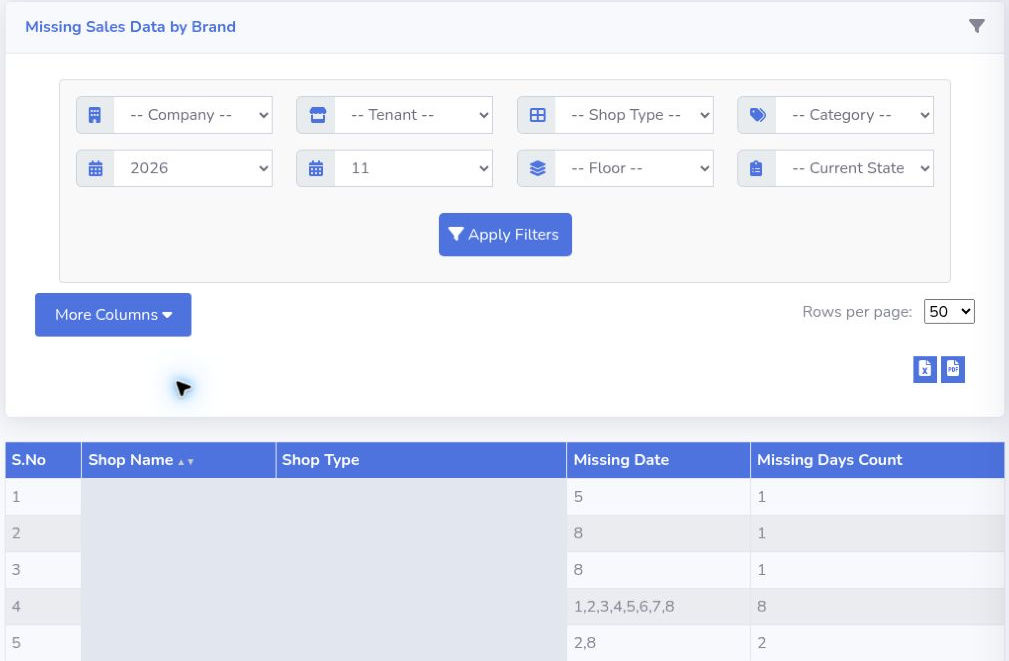
A filtered missing-sales report shows five rows, including counts of one, two and eight missing dates. Shop names and shop types are concealed.
Missing Sales Data by Brand Use the missing dates and day counts to direct follow-up. Five anonymised demo rows show how a single absent day and a run of eight days appear in the report.
Product walkthrough

Bring one mall.
Follow one trading day.

See how tenant submissions become a finance review and a management brief.

Book a demo
Product screen

Open full resolution ↗
Book a demo

Mall Metrics advisor

ADSR product support and demo enquiries

What would you like to know about Mall Metrics?
Book a demo

Fundle stores this conversation so the team can follow up.